Help Center
Get Attributer working with CookieYes

This article is intended only as technical advice and not as legal advice. We recommend seeking legal advice before deciding whether it is appropriate to run the Attributer code on your website without explicit cookie consent. For more on this, read this article.
CookieYes is a tool that helps businesses manage cookie consent on their website.
In simple terms, it scans your website to find all the cookies and tracking scripts that are running. Then, it automatically blocks those scripts from running until the visitor gives permission in the cookie consent banner.
How to stop CookieYes from blocking Attributer on your website
CookieYes has a simple method that allows website owners to tell it not to block a specific script from loading on the website.
Step 1: Navigate to the ‘Necessary’ category
To set this up, navigate to the Cookie Manager section of your account and then select the ‘Necessary’ category from the left-hand tabs.
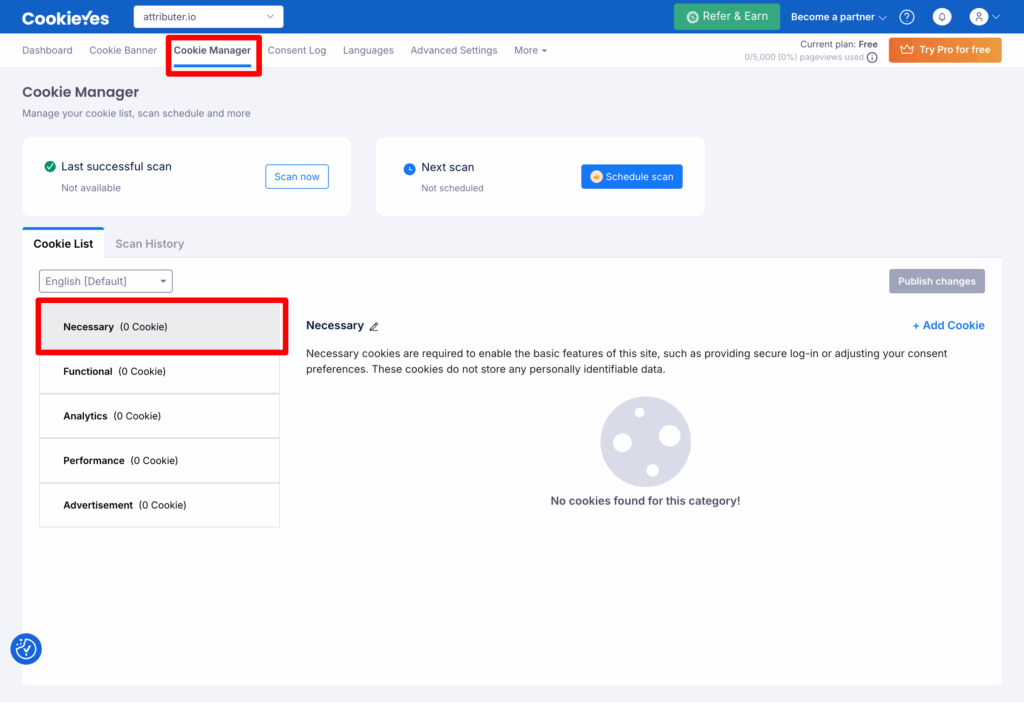
It’s important to make sure you are in the Necessary category. If you are in a different category and you select the ‘Add Cookie’ button (which is the next step), it will add the cookie to whatever other category you currently have selected.
Step 2: Add a new cookie
You then need to select the ‘Add Cookie’ link on the right.
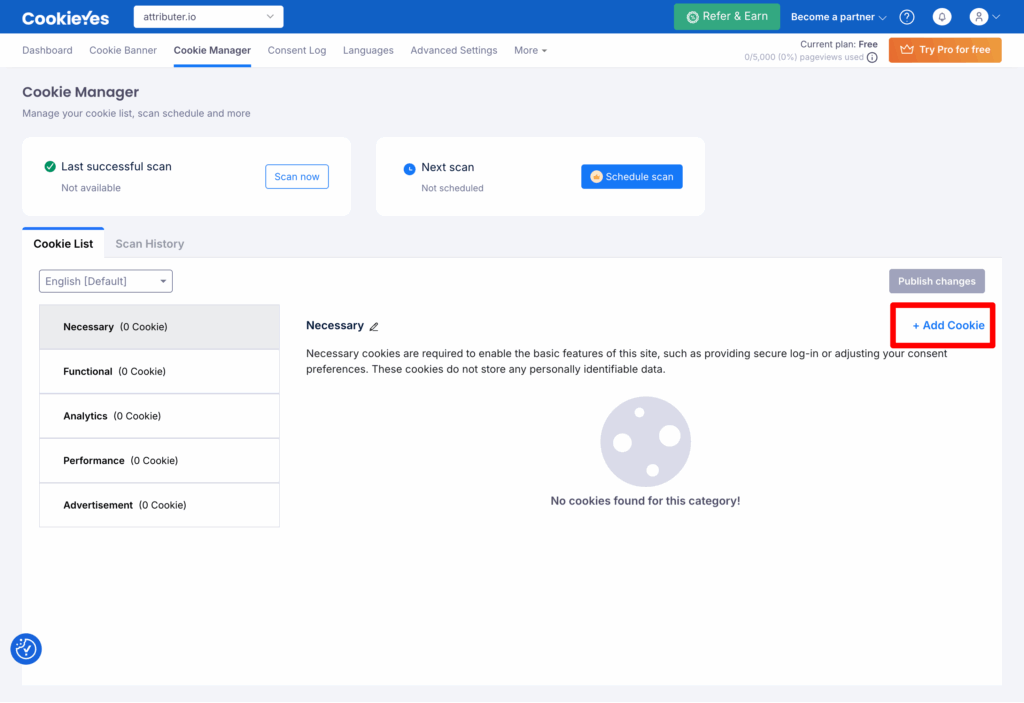
A popup will appear that looks a bit like this:
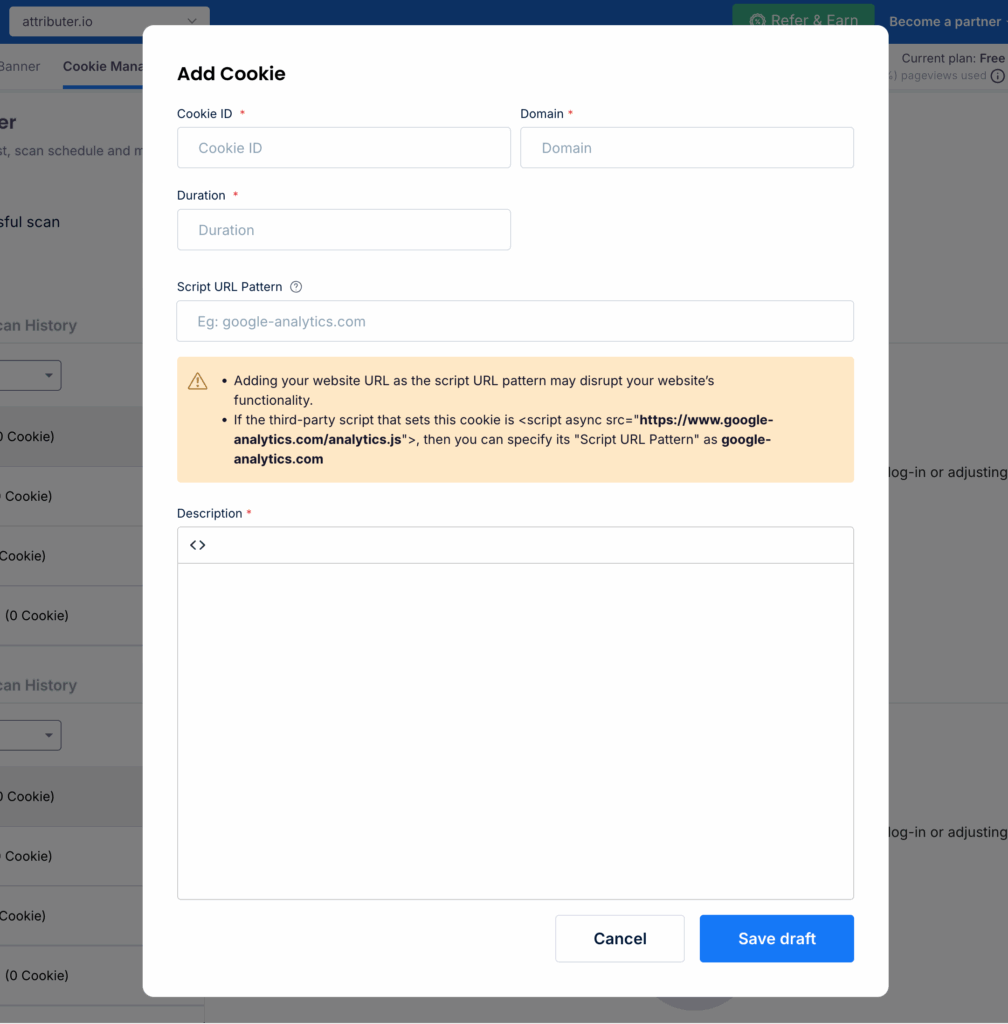
You need to complete the form as follows:
- Cookie ID = flaretrk
- Domain = Enter the domain of your website
- Duration = 365 Days
- Script URL Pattern = https://d1b3llzbo1rqxo.cloudfront.net
- Description = Add a description for what this cookie is (I.e. the Attributer cookie)
Once done, press the ‘Save Draft’ button to save the new cookie.
Step 3: Publish your changes
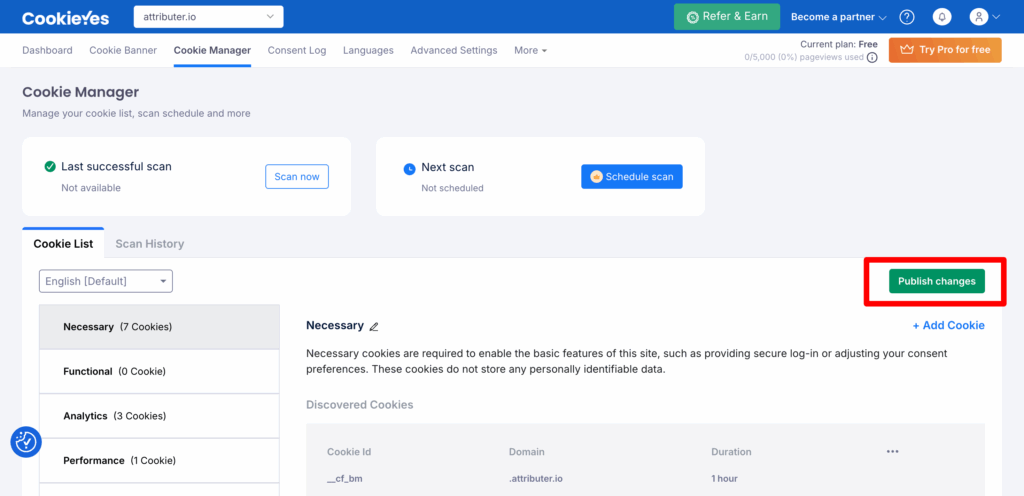
In order for these changes to actually go live, you need to publish them. Otherwise, they just sit in Draft status and do not actually take effect on your website.
To do that, simply press the ‘Publish Changes’ button and follow the prompts.
If you are loading Attributer through Google Tag Manager
If you have Attributer loading on your website through Google Tag Manager, then CookieYes is likely blocking Google Tag Manager from loading until cookie consent is given. This means that, even though you’ve told CookieYes not to block Attributer from loading, it is still being blocked from loading because Google Tag Manager is blocked (and if Google Tag Manager is blocked and Attributer is loading through it, then Attributer cannot load).
The solution in this case is to take Attributer out of Google Tag Manager and load it directly on your website. Depending on what website builder you use, instructions to do this can be found below:
Remember to still keep the Attributer cookie in the Necessary category as set up earlier, as that tells CookieYes not to block the Attributer code from loading.
Can't find the answer you need? Contact us!
Our team are available to answer any questions you have